
If your site targets more than one country, translation is not optional. It affects rankings, crawlability, and trust. In 2026, Google is stricter. AI summaries are pickier. Bad translations do not just look sloppy. They block growth.
WordPress translation plugins are not equal. Some create real indexed pages. Others only swap text on the screen. That difference decides whether your translated pages rank or stay invisible.
This guide compares 15 WordPress translation plugins that actually matter today. Each plugin is here because it solves a real problem.
By the end, you should know which WordPress multilingual plugin fits your site. And which ones to skip without regret.
How We Built The List of WordPress Translation Plugins
This list is not based on popularity or download counts. It’s based on how WordPress translation plugins actually behave in real SEO setups.
Here’s what we tested.
Translation architecture
Some plugins create separate language pages. Others rely on JavaScript or external services. Manual systems give control. AI systems save time. Hybrid setups try to balance both. Each WordPress language translation plugin was grouped by how it handles content at the core level.
SEO control
Translation is useless if Google cannot index it. We looked at URL structures, hreflang support, and whether translated pages are crawlable. A good WordPress multilingual plugin must produce clean, indexable URLs. Anything that hides content behind scripts was marked down.
Performance impact
Translation plugins add weight. Some add a little. Others slow everything down. We checked how plugins affect load time, Core Web Vitals, and caching. Speed still matters. Even for translated pages.
Content ownership and lock-in
Some tools store translations inside WordPress. Others keep them on external servers. If you remove the plugin, do you keep your content or lose it? That question matters more than most people think.
Scalability and pricing risk
Many tools look cheap at first. Then traffic grows. Language count grows. Bills follow. Each WordPress translate solution was reviewed with long-term cost in mind, not just entry pricing.
Quick Comparison Table on Unique WordPress Translation Plugins 2026
| Plugin | Translation method | SEO readiness | Best-fit use case | Pricing model |
|---|---|---|---|---|
| WPML | Manual / Hybrid | High | Large content sites | Annual license |
| Polylang | Manual | High | SEO-focused blogs | Free + paid |
| TranslatePress | Manual / AI | High | Visual translation | Annual license |
| Weglot | AI / SaaS | Medium | Fast deployment | Monthly SaaS |
| GTranslate | AI | Medium | Automated scale | Freemium |
| Linguise | AI | Medium–High | AI with SEO control | Monthly SaaS |
| WPGlobus | Manual tagging | Medium | Developer control | Free + paid |
| Multilanguage | Manual | Low–Medium | Small sites | Free |
| Loco Translate | String-based | Low | Theme translation | Free |
| Lingotek | AI + Human | High | Team workflows | Usage-based |
| Bablic | JS-based AI | Medium | Dynamic sites | Monthly SaaS |
| Multisite Language Switcher | Manual | High | Multisite networks | Free |
| Falang | Manual | Medium | Joomla-style setup | Paid |
| Google Language Translator | JS wrapper | Low | Instant translate | Free |
| Prisna GWT | JS wrapper | Low | Simple embed | Free |
Core Multilingual CMS WordPress Translation Plugins
These plugins change how WordPress saves and serves content. They create real language versions. That’s why they matter for SEO.
1. WPML
Best for. Enterprise and agency-controlled multilingual sites
WPML is one of the oldest WordPress translation plugins. It works by creating separate content for each language. That gives strong control. It also adds complexity.
How it works
WPML duplicates posts, pages, and custom post types per language. Each version gets its own URL. Hreflang is handled automatically.
Key features
- Manual and automatic translation options
- Full WooCommerce support
- String translation for themes and plugins
- Strong hreflang and URL control
Pros
- Excellent SEO structure, especially for an online event booking site
- Scales well for large sites
- Widely supported by themes and plugins
Cons
- Heavy setup
- Can slow down large sites if misconfigured
- Paid only
Pricing
Annual license. Cost increases by site count.
Verdict
Choose WPML if you manage large sites or client projects. Avoid it if you want something lightweight.
2. Polylang
Best for. Manual, SEO-first multilingual publishing
Polylang focuses on simplicity and control. It does less than WPML. That’s often a good thing.
How it works
Each language version is a separate post. You translate content manually. No forced automation.
Key features
- Clean URL structures, especially for travel booking sites
- Native WordPress feel
- Works well with Gutenberg
- Optional WooCommerce add-on
Pros
- Fast and lightweight
- Strong SEO control
- Free version available
Cons
- No built-in automatic translation
- Some features locked behind paid add-ons
Pricing
Free core plugin. Paid version for advanced features.
Verdict
If SEO matters more than speed of translation, Polylang is a solid WordPress multilingual plugin.
3. TranslatePress
Best for. Visual, front-end translation workflows
TranslatePress lets you translate directly from the front end. You see changes as you make them.
How it works
It keeps one post and stores translations separately. You translate text visually while browsing the site.
Key features
- Front-end live editor
- Manual and AI translation support
- SEO-friendly URLs
- WooCommerce compatibility
Pros
- Easy to use
- Clear translation context
- Good balance of control and speed
Cons
- Paid version needed for multiple languages
- Can feel slower on large sites
Pricing
Annual license. Free version supports one language.
Verdict
Good choice as a WordPress multilingual plugin if you want control without technical overhead.
4. Multilanguage
Best for. Simple multilingual sites with low SEO demands
Multilanguage is basic. It works. But it’s not built for competitive search.
How it works
You add translations manually inside WordPress. Language switching is simple.
Key features
- Simple language switcher
- Manual translation
- No external services
Pros
- Easy setup
- Free
- Low learning curve
Cons
- Weak SEO control
- Limited scalability
- Not ideal for content-heavy sites
Pricing
Free.
Verdict
Works for small sites. Not recommended for serious SEO goals.
5. WPGlobus

Best for. Developers needing language tagging inside single posts
WPGlobus uses a different model. All languages live inside one post.
How it works
Languages are stored using language tags inside the same content field. One URL. Multiple languages.
Key features
- Single-post language storage
- Developer-friendly controls
- Compatible with most themes
Pros
- No content duplication
- Full ownership of translations
- Lightweight
Cons
- SEO limitations
- Not beginner-friendly
- Requires discipline to manage content
Pricing
Free core plugin. Paid extensions are available for this WordPress multilingual plugin.
Verdict
Use WPGlobus if you know exactly what you’re doing. Skip it if SEO is your main growth channel.
AI and SaaS-Based WordPress Translation Plugins
These WordPress translation plugins focus on speed. Most rely on AI and external services. Setup is quick. SEO control is mixed. Choose carefully.
6. Weglot
Best for. Fast multilingual rollout with minimal setup
Weglot is among the top SaaS-based WordPress multilingual plugins. It translates content automatically and handles hosting outside WordPress.
How it works
Weglot WordPress detects content, translates it using AI, and serves translated pages through its own system. URLs are created per language.
Key features
- Automatic translation
- Visual translation editor
- Hreflang and language switcher
- Works with any theme
Pros
- Very fast setup
- No technical skills needed
- Supports many languages
Cons
- Content stored externally
- Costs grow with traffic
- Less control than native plugins
Pricing
Monthly subscription based on word count and traffic.
Verdict
Use Weglot WordPress if speed matters more than ownership. Long term SEO projects should think twice.
7. GTranslate
Best for. Automated translation at large scale
GTranslate uses Google Translate to power translations. It’s often chosen for scale.
How it works
Depending on the plan, translations can be served via JavaScript or as crawlable pages.
Key features
- Google-powered translation
- Multiple SEO modes
- Simple language switcher
Pros
- Easy to set up
- Supports many languages
- Affordable entry pricing
Cons
- SEO depends on plan level
- Quality varies by language
- Limited manual control
Pricing
Free and paid plans. SEO features require paid version.
Verdict
Works for large sites that need reach. Not ideal for high-precision content.
8. Linguise

Best for. AI translation with stronger SEO control than Weglot WordPress
Linguise sits between automation and SEO control. It improves on some Weglot WordPress limits.
How it works
Translations are generated by AI but cached and served in an SEO-friendly way.
Key features
- Crawlable translated URLs
- Live editing interface
- Performance-focused caching
Pros
- Better SEO handling
- Faster load times
- Less lock-in than some SaaS tools
Cons
- Still SaaS-dependent
- Ongoing monthly cost
Pricing
Monthly subscription based on usage.
Verdict
A solid option if you want AI translation without giving up too much SEO control.
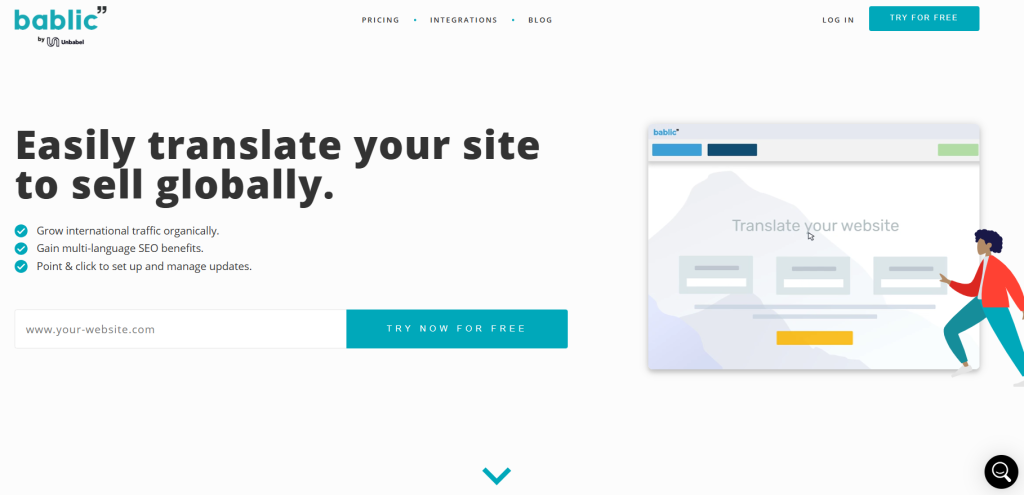
9. Bablic
Best for. Visual translation on dynamic or JS-heavy sites
Bablic is built for sites where content is not always static.
How it works
It overlays translations on the front end and detects dynamic content.
Key features
- Visual editor
- AI and manual translation
- Handles dynamic elements
Pros
- Works with complex layouts
- Easy visual edits
- Fast deployment
Cons
- JavaScript-heavy
- SEO control is limited
- Higher long-term cost
Pricing
Monthly subscription.
Verdict
Good for dynamic sites. Weak choice for SEO-driven blogs.
Google Translate Wrapper Plugins
These plugins focus on UX, not rankings. They translate text on the fly. Google usually does not index the output.
10. Google Language Translator
Best for. Instant UX translation with zero setup
How it works
Same core idea. On-screen translation using Google Translate.
Pros
- Easy
- No configuration
Cons
- Not indexable
- No content control
Verdict
Useful for users. Useless for SEO.
11. Prisna GWT
Best for. Free Google Translate embedding
How it works
Another Google Translate wrapper with basic customization.
Pros
- Free
- Lightweight
Cons
- Outdated approach
- No SEO benefits
Verdict
Only acceptable for small, non-SEO sites.
Translation Management and String Translation
These WordPress translation plugins do not translate full pages. They solve specific problems.
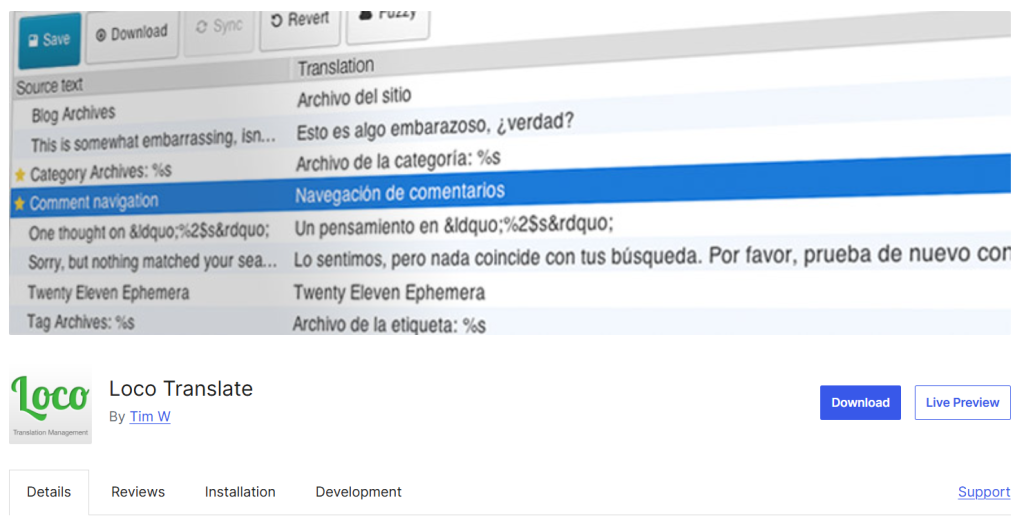
12. Loco Translate
Best for. Theme and plugin string localization
How it works
Loco translate WordPress plugin edits translation files directly inside WordPress.
Pros
- Full control over strings
- No external service
Cons
- Not a full WordPress translate solution
- No SEO value on its own
Pricing
Free.
Verdict
Loco translate WordPress plugin is Essential for developers. Not a multilingual plugin by itself.
13. Lingotek

Best for. Professional translation workflows and teams
How it works
Connects WordPress to a translation management system.
Pros
- Human + AI translation
- Strong workflow control
- Enterprise-ready
Cons
- Setup complexity
- Usage-based costs
Pricing
Usage-based.
Verdict
Good for teams with real translation processes.
Multisite and Niche WordPress Translation Plugins
14. Multisite Language Switcher
Best for. WordPress Multisite networks
How it works
Each language runs as a separate site inside a multisite network.
Pros
- Clean SEO structure
- Full site separation
Cons
- Complex setup
- Higher maintenance
Pricing
Free.
Verdict
Powerful but only for multisite users.
15. Falang
Best for. Joomla-style multilingual workflows in WordPress
How it works
Manages translations separately, similar to Joomla’s system.
Pros
- Clear language management
- Works well for structured content
Cons
- Smaller ecosystem
- Limited modern integrations
Pricing
Paid.
Verdict
Niche but valid. Best for users familiar with Joomla-style workflows.
Head-to-Head Comparison of Top WordPress Translation Plugins
This is where decisions get real. Feature lists do not help much. Trade-offs do.
WPML vs Polylang vs TranslatePress
These three are the most common WordPress multilingual plugin choices for SEO-driven sites.
Control
- WPML gives the most control. Everything is configurable. That also means more room to break things.
- Polylang keeps control simple. Fewer options. Fewer mistakes.
- TranslatePress sits in the middle. Visual control with less technical depth.
Performance
- Polylang is the lightest. Best option for speed-sensitive sites.
- TranslatePress adds some overhead but stays reasonable.
- WPML can slow large sites if not tuned well.
SEO risk
- Polylang has the lowest risk. Clean URLs. Clear language separation.
- TranslatePress is safe if configured correctly.
- WPML is powerful but unforgiving. Misuse leads to index bloat.
Decision rule
- If SEO is the main growth channel, start with Polylang.
- If you need visual editing, pick TranslatePress.
- If you run large or client sites, WPML makes sense.
Weglot vs Linguise vs Bablic
These tools automate WordPress translate workflows using AI and SaaS models.
AI translation
- Weglot focuses on speed and ease.
- Linguise focuses on balance.
- Bablic focuses on visual and dynamic content.
Indexing reliability
- Linguise handles crawlable URLs better than most AI tools.
- Weglot works but depends on plan limits.
- Bablic struggles on pure SEO projects due to JS reliance.
Cost at scale
- Weglot gets expensive fast with traffic growth.
- Bablic is costly for long-term use.
- Linguise scales more predictably.
Decision rule
- Need speed and low setup 🡪 Weglot.
- Need AI with better SEO control 🡪 Linguise.
- Have a JS-heavy site 🡪 Bablic.
WPGlobus vs Traditional Multilingual Plugins
WPGlobus works differently from most WordPress translation plugins.
Single-post language storage
WPGlobus keeps all languages inside one post using tags. No duplicated posts. One URL.
When it makes sense
- Small sites
- Internal tools
- Developer-managed projects
- Content not driven by organic search
When it does not
- SEO-first sites
- Large blogs
- Ecommerce stores
Decision rule
If Google traffic matters, avoid this model.
Which WordPress Translation Plugin Should You Choose in 2026
Here’s the practical breakdown to pick one among several available WordPress translation plugins.
Blogs and publishers
Use Polylang or TranslatePress.
They produce clean URLs and are easy to manage.
SaaS and B2B websites
Use TranslatePress, WPML, or Linguise.
Balance speed, control, and indexability.
WooCommerce stores
Use WPML or Polylang Pro.
Product URLs and checkout flows need stability.
Agencies and multisite networks
Use WPML or Multisite Language Switcher.
Client control and scalability matter more than simplicity.
Conclusion
Translation is not a design choice. It’s infrastructure. Your WordPress translation plugins set the SEO ceiling. Choose poorly and growth stalls. Choose well, and every language compounds traffic. Ownership matters more than convenience. Native plugins age better than SaaS shortcuts.
AI helps, but it does not replace structure. So, make the decision once. Changing later is expensive. So, do it right.