

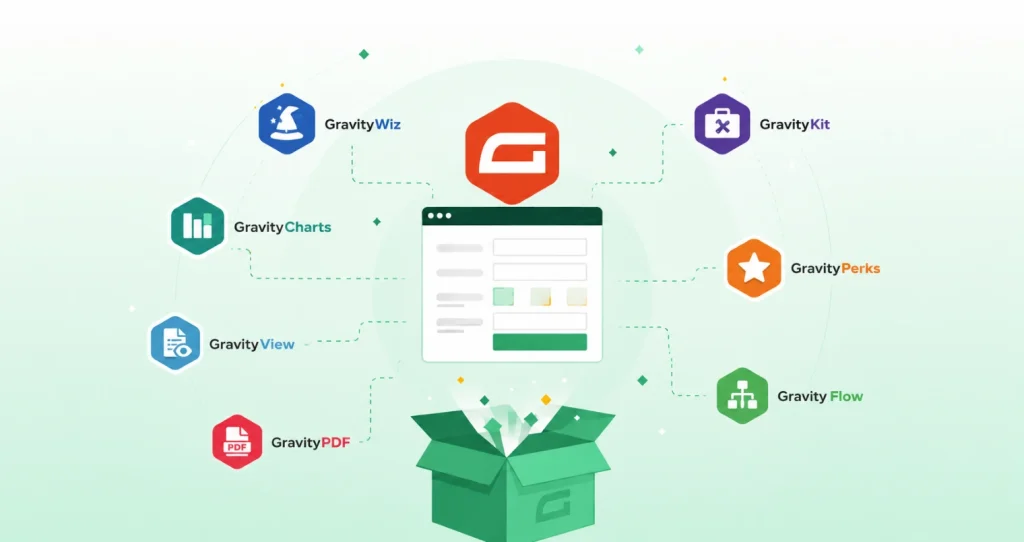
Gravity Forms is one of the most powerful form builders for WordPress. But out of the box, it only does so much. The real value comes from Gravity Forms add-ons.
There are hundreds of add-ons out there.
Some are built by Gravity Forms itself. Some come from certified third-party developers like Gravity More. Others are low-quality Gravity Forms extensions that haven’t been updated in years.
We have written this blog to cut through the noise. It explains the best Gravity Forms add-ons across every major category. Whether you’re a developer, a business owner, or a WordPress development agency, you’ll find something useful to uplift your business.
Quick-Reference Table on Best Gravity Forms Add-Ons in 2026
| Add-on | Category | Developer | Free/Paid | Best For |
|---|---|---|---|---|
| Stripe | Payments | Gravity Forms (official) | Free + transaction fees | One-time and recurring payments, digital wallets |
| PayPal Checkout | Payments | Gravity Forms (official) | Free + transaction fees | Broad audience reach, Buy Now Pay Later |
| Square | Payments | Gravity Forms (official) | Free + transaction fees | Hybrid online and in-person sellers |
| Mollie | Payments | Gravity Forms (official) | Free + transaction fees | European businesses, iDEAL, SEPA |
| 2Checkout | Payments | Gravity Forms (official) | Free + transaction fees | International and multi-currency payments |
| Mailchimp | Email Marketing | Gravity Forms (official) | Free + plan fees | Small to mid-size email lists |
| MailerLite | Email Marketing | Gravity Forms (official) | Free + plan fees | Budget-conscious users, simple automations |
| AWeber | Email Marketing | Gravity Forms (official) | Free + plan fees | Bloggers and creators |
| Constant Contact | Email Marketing | Gravity Forms (official) | Free + plan fees | Nonprofits and local businesses |
| SendGrid | Email Marketing | Gravity Forms (official) | Free + plan fees | Transactional email at scale |
| HubSpot | CRM | Gravity Forms (official) | Free + plan fees | Inbound teams, free CRM users |
| Salesforce | CRM | Gravity Forms (official) | Free + plan fees | Enterprise sales pipelines |
| Zoho CRM | CRM | Gravity Forms (official) | Free + plan fees | SMBs wanting affordable CRM |
| GC Google Sheets | Productivity | Gravity Wiz (certified) | Paid | Auto-sending entries to live spreadsheets |
| GC Airtable | Productivity | Gravity Wiz (certified) | Paid | Teams using Airtable as a database |
| GC Notion | Productivity | Gravity Wiz (certified) | Paid | Content teams logging entries as Notion pages |
| GC OpenAI | Productivity | Gravity Wiz (certified) | Paid | AI-powered responses and auto-categorization |
| Zapier Add-On | Automation | Gravity Forms (official) | Free + plan fees | Connecting to 6,000+ apps without native add-ons |
| Gravity Flow | Workflow Automation | RocketGenius (official) | Paid | Multi-step approval and routing workflows |
| Gravity PDF | PDF Generation | Gravity PDF (certified) | Free + premium | Auto-generating PDFs from form submissions |
| CosmicGiant Fillable PDFs | PDF Generation | CosmicGiant (certified) | Paid | Pre-filling existing PDF templates |
| Gravity Booking | Bookings | GravityMore (certified) | Paid | Appointment scheduling with real-time availability |
| GravityView | Entries Display | GravityKit (certified) | Paid | Front-end entry display and web app building |
| GravityEdit | Entries Management | GravityKit (certified) | Paid | Inline entry editing from WordPress admin |
| GravityCharts | Data Visualization | GravityKit (certified) | Paid | Visual dashboards from entry data |
| GFChart | Data Visualization | GFChart (certified) | Paid | Lightweight charting for simpler reports |
| GravityActions | Entries Management | GravityKit (certified) | Paid | Bulk entry updates and batch email sending |
| GravityExport | Entries Management | GravityKit (certified) | Paid | Exporting entries via secure shareable link |
| GravityImport | Entries Management | GravityKit (certified) | Paid | Importing entries from CSV |
| Gravity Perks | Form Enhancement | Gravity Wiz (certified) | Paid | 50+ small add-ons covering edge cases |
| GravityKit Elementor Widget | Page Builder | GravityKit (certified) | Paid | Styling Gravity Forms inside Elementor |
| Gravity Forms Styler for Divi | Page Builder | Gravity Forms (official) | Paid | Embedding and styling forms in Divi |
How to Choose Gravity Forms Addons
Not every Gravity Forms addon is worth installing. Before you install anything, check these four things.
1. Is it actively maintained? Look at the plugin’s changelog. If the last update was over a year ago, that’s a red flag. Gravity Forms releases updates regularly. Add-ons that don’t keep up will eventually break.
2. Does it come from a trusted developer? Gravity Forms runs an official Certified Developer program. Developers in this program have been vetted by the Gravity Forms team. If an add-on comes from a certified developer, you can trust its quality and compatibility.
3. Does it have real user reviews? Check WordPress.org, Trustpilot, and community forums. Ignore star ratings in isolation. Read what actual users say about support response times, bugs, and updates.
4. Does it solve a specific problem? Don’t install add-ons speculatively. Every plugin adds weight to your site. Only install what you actually need, and confirm it does exactly what you need before buying.
Gravity Forms Addons for Payments and Checkout
Accepting payments through Gravity Forms is straightforward. Gravity Forms maintains official integrations with the most widely used payment processors, and they work out of the box with most license plans.
Here’s a breakdown of the best Gravity Forms addons for payments by use case.
| Add-on | Best For | Free/Paid | Notable Feature |
|---|---|---|---|
| Stripe | Most websites | Free (transaction fees apply) | Supports one-time and recurring payments, Apple Pay, Google Pay |
| PayPal Checkout | Broad audience reach | Free (transaction fees apply) | Includes Buy Now Pay Later and Venmo |
| Square | In-person and online sellers | Free (transaction fees apply) | Syncs inventory across online and physical sales |
| Mollie | European businesses | Free (transaction fees apply) | Supports iDEAL, SEPA, Bancontact |
| 2Checkout | Global/international | Free (transaction fees apply) | Multi-currency, fraud protection |
Stripe is the default pick for most WordPress sites. It handles one-time payments, subscriptions, and digital wallets in a single integration. If you’re just starting out and don’t need anything exotic, start here.
PayPal Checkout is worth adding if your audience skews toward PayPal users or you want to offer Buy Now Pay Later without a separate tool.
Square makes sense if you’re running a hybrid business, selling both online and in person. The inventory sync alone saves hours of manual reconciliation.
Mollie is the strongest option for European-based businesses. It covers the local payment methods that Stripe sometimes misses, especially iDEAL in the Netherlands and SEPA across the eurozone.
Pro tip: If your site handles bookings or appointments alongside payments, a dedicated appointment booking add-on like Gravity Booking can handle the scheduling logic while the payment add-on handles the transaction. Keeping those two concerns separate gives you more control over each.
Gravity Forms Addons for Marketing Automation and CRM
Gravity Forms doesn’t send follow-up emails or log leads into your CRM on its own. You need add-ons for that. The good news is Gravity Forms maintains official integrations with most major CRM platforms.
Here’s how to think about the two categories.
Gravity Forms add-ons for email marketing handle what happens after someone submits a form.
Gravity Forms CRM add-ons go a step further. They create or update a contact record, assign the lead to a rep, and log the source. If you have a sales process, a CRM integration is not optional.
Best Gravity Forms Email Marketing Add-Ons
| Add-on | Best For | License Required |
|---|---|---|
| Mailchimp | Small to mid-size lists, e-commerce | Basic and above |
| MailerLite | Budget-conscious users, simple automations | Basic and above |
| AWeber | Bloggers, creators, established email lists | Basic and above |
| Constant Contact | Nonprofits, local businesses | Basic and above |
| SendGrid | Transactional email at scale | Basic and above |
| Campaign Monitor | Agencies managing multiple clients | Basic and above |
Mailchimp is the most common pick. It’s well-documented, integrates cleanly, and handles segmentation well for most use cases.
MailerLite is the better choice if you’re on a budget or just getting started. The free tier is generous and the automation builder is simpler than Mailchimp’s.
SendGrid is worth considering if you’re sending transactional emails at volume, such as order confirmations or account notifications. It’s not a newsletter tool. It’s a delivery infrastructure tool.
Best Gravity Forms CRM Add-Ons
| Add-on | Best For | License Required |
|---|---|---|
| HubSpot | Inbound-focused teams, free CRM users | Elite |
| Salesforce | Enterprise sales teams | Elite |
| Zoho CRM | SMBs wanting an affordable Salesforce alternative | Elite |
| Agile CRM | Small teams on a tight budget | Elite |
HubSpot is the practical default for most small and mid-size businesses. The CRM is free, the integration is solid, and leads flow in without any manual entry.
Salesforce is for enterprise setups where Gravity Forms feeds into a larger sales pipeline. If your team isn’t already using Salesforce, this is not the place to start.
Zoho CRM sits in the middle. More features than Agile, more affordable than Salesforce. It works well for growing teams who’ve outgrown a spreadsheet but don’t need enterprise infrastructure.
Gravity Forms also supports automation platforms like Zapier and Make (formerly Integromat). These act as middleware and let you connect Gravity Forms to almost any tool that isn’t covered by an official Gravity Forms add-on. If your CRM or email platform isn’t on the official list, that’s your fallback.
Gravity Forms Addons For Productivity and Automation
One of the strongest arguments for Gravity Forms over other form builders is how deep its Gravity Forms integrations go with productivity tools. Most competing plugins stop at email and payment. Gravity Forms connects directly into the tools your team already works in.
This section covers two things: productivity app integrations and workflow automation. They’re related but different.
Best Gravity Forms Addons for Productivity Integrations
These are among the most practical add-ons in the Gravity Forms add-ons list for teams that live in spreadsheets, databases, or project management tools.
| Add-on | Connects To | Developer | Best For |
|---|---|---|---|
| GC Google Sheets | Google Sheets | Gravity Wiz | Sending entries to a live spreadsheet automatically |
| GC Airtable | Airtable | Gravity Wiz | Teams using Airtable as a lightweight database |
| GC Notion | Notion | Gravity Wiz | Content teams logging form entries as Notion pages |
| GC OpenAI | OpenAI | Gravity Wiz | AI-powered responses, auto-categorization, summaries |
| Zapier Add-On | 6,000+ apps | Gravity Forms (official) | Connecting Gravity Forms to tools without a native add-on |
GC Google Sheets is the most practical pick for small teams. Every form submission lands in a spreadsheet in real time. No exports, no manual copy-paste.
GC Airtable is worth it if your team already uses Airtable as an operations hub. Form data flows directly into a base, where you can filter, sort, and build views around it.
GC OpenAI is the most forward-looking option on this list. You can use it to auto-generate responses, classify submissions by intent, or summarize long text entries. Practical for support teams and content operations.
Zapier deserves a specific mention because it’s not just a productivity tool. It’s a bridge. If a native integration doesn’t exist for your stack, Zapier covers the gap. It connects Gravity Forms to over 6,000 apps, making it one of the most versatile Gravity Forms addons available.
Workflow Automation: Gravity Flow
If you need more than data routing, you need Gravity Flow.
Gravity Flow turns form submissions into structured business processes. A form submission can trigger an approval chain, route a task to a team member, send a conditional notification, or move through a multi-step workflow, all without custom code.
It ships with over 40 workflow steps including approvals, user input, reverts, and assignments. It’s maintained by RocketGenius, the same company that builds Gravity Forms itself. That matters for long-term compatibility.
Who needs it: Any business running approval-based processes through forms. Purchase requests, leave applications, onboarding checklists, and content review pipelines. If your process has more than one person involved, Gravity Flow handles the routing logic so you don’t have to.
Gravity Forms for PDF Generation and Documents
If your forms collect information that needs to become a document, you need a PDF add-on. This is one of the most searched categories in the Gravity Forms add-ons list, and for good reason.
There are two distinct tools worth knowing here. They solve different problems.
Gravity PDF
Gravity PDF is the go-to solution for automated PDF generation from Gravity Forms submissions. It’s a certified third-party add-on with over 20,000 active installs and a 4.9-star rating on WordPress.org. Those numbers reflect genuine adoption, not marketing.
When a form is submitted, Gravity PDF generates a PDF instantly using the entry data. You can attach it to an email notification, make it downloadable from a confirmation page, or store it server-side.
| Feature | Detail |
|---|---|
| Automated generation | PDF created instantly on form submission |
| Pre-built templates | Professional designs out of the box |
| Custom templates | Full HTML/CSS control for developers |
| Access control | Password protection and user authentication |
| Email attachment | Attach PDF directly to any notification |
| Multi-language support | RTL languages supported |
Common use cases:
- Payment invoices sent automatically after checkout
- Course completion certificates for online educators
- Custom quotes generated from a pricing form
- Client intake summaries for service businesses
- Legal consent forms archived as signed documents
Gravity PDF is one of the most mature Gravity Forms integrations in the ecosystem. If document generation is a core requirement, this is the first add-on you should evaluate.
CosmicGiant: Fillable PDFs
CosmicGiant takes a different approach. Instead of generating a new PDF from scratch, it lets you upload an existing PDF and map Gravity Forms fields to the fillable fields inside it.
This matters when you have a fixed document format you can’t change. Legal forms, government templates, compliance documents, standardized contracts. You don’t want to recreate those from scratch. You want to pre-fill them automatically using data your users already submitted.
These two Gravity Forms tools are not competitors. They solve different parts of the same problem. Most serious Gravity Forms setups that deal with documents end up using both.
Gravity Forms Addons for Booking and Scheduling
Gravity Forms handles the form side of bookings well. It collects names, dates, times, and preferences without any trouble. But managing availability, preventing double bookings, and controlling capacity? That needs a dedicated add-on.
What a Booking Add-On Actually Does
A standard Gravity Forms setup with a date field lets people submit a preferred time. That’s it. It has no awareness of how many slots are available, whether a time is already taken, or what your capacity limits are.
A booking add-on fills that gap. It connects your form fields to a scheduling layer that tracks availability in real time and blocks slots as they get booked.
GravityMore Booking Add-On
GravityMore’s Booking Add-On is built specifically for Gravity Forms. It adds real availability management directly inside your existing forms, without replacing your form builder or adding a separate booking system on top.
Key features:
| Feature | Detail |
|---|---|
| Real-time availability | Slots update as bookings come in |
| Capacity control | Set limits per time slot or per day |
| Multi-service support | Different availability rules per service |
| Double-booking prevention | Hard blocks on already-filled slots |
| Seamless form integration | Works within your existing Gravity Forms setup |
Who it’s for: Spa & salon, legal consultants, fitness training providers, clinics, and anyone running appointment-based operations through WordPress.
When You Need a Gravity Forms Booking Add-On
- You offer time-specific appointments or sessions
- You have limited capacity per slot
- You need to prevent double bookings automatically
- You want customers to self-select available times
- Your current process involves manual scheduling after form submission
Manual scheduling after a form submission is a common workaround. As volume increases, the gaps start showing like double bookings, etc. A proper Gravity Forms booking add-on eliminates all of that at the form level.
Gravity Forms Addons for Entries Management and Display
By default, Gravity Forms stores entries in the WordPress admin. You can view them, export them, and filter them. That’s it. If you need to display entries on the front end, edit them after submission, visualize them as charts, or manage them in bulk, you need add-ons.
GravityView by GravityKit is the leading solution for this. It lets you display Gravity Forms entries on the front end using a drag-and-drop layout builder. You can build table views, list views, map views, and data grids without writing code.
It’s the most widely used tool in this category for good reason. The feature set is deep, the documentation is solid, and it’s maintained by a certified developer with a long track record in the Gravity Forms ecosystem.
Editing Entries After Submission
Sometimes users need to update what they submitted. An event registration where attendees need to change their meal preferences. A membership profile that needs updating. A multi-step application where a reviewer requests changes.
GravityEdit, also by GravityKit, handles inline entry editing from the WordPress admin. For front-end editing, GravityView includes that capability as part of its feature set.
Visualizing Entry Data
If you need to turn form responses into charts, graphs, or dashboards, two tools are worth knowing.
| Add-on | Developer | Best For |
|---|---|---|
| GravityCharts | GravityKit | Visual dashboards built directly from entry data |
| GFChart | GFChart | Lightweight charting for simpler reporting needs |
GravityCharts integrates tightly with GravityView, which makes it the stronger pick if you’re already using that tool.
GFChart is a leaner option if you only need basic charts and don’t need the full GravityView stack.
Managing and Exporting Entries in Bulk
For teams that need to act on entries at scale, three add-ons cover the core operations.
| Add-on | Developer | What It Does |
|---|---|---|
| GravityActions | GravityKit | Bulk update entries, send bulk emails, batch operations |
| GravityExport | GravityKit | Export entries to Excel, CSV, or PDF via a secure download link |
| GravityImport | GravityKit | Import entries from CSV into Gravity Forms |
GravityExport is one of the most practical tools in the entire Gravity Forms add-ons list for operations teams. The shareable download link feature alone saves significant time. Instead of logging into WordPress to pull a report, you send a secure link that always reflects the latest data.
GravityImport solves a problem that comes up more than people expect: migrating data into Gravity Forms from a spreadsheet or a previous system. It handles bulk imports cleanly without custom scripts.
Gravity Forms Form-Enhancement Add-Ons
Gravity Forms’ core feature set covers standard form fields. These form enhancement add-ons for Gravity Forms extend what your forms can actually do.
| Add-on | What It Does |
|---|---|
| User Registration | Creates WordPress user accounts from form submissions |
| Survey | Adds Likert scales, rankings, and survey-specific fields |
| Polls | Adds voting functionality with real-time results |
| Conversational Forms | Turns standard forms into one-question-at-a-time flows |
| Geolocation | Captures and auto-completes address fields using location data |
| Advanced Post Creation | Creates WordPress posts directly from form submissions |
Gravity Perks by Gravity Wiz deserves a separate mention. It’s a suite of 50+ small add-ons sold as a single bundle. Each perk solves one specific problem: limiting entries, accepting multiple files, populating fields dynamically, adding word counts, restricting dates. No single perk is dramatic. Together, they cover almost every edge case you’ll encounter when building forms professionally.
If you build Gravity Forms sites regularly, Gravity Perks is one of the highest-value purchases in the entire Gravity Forms integrations ecosystem.
Gravity Forms Page Builder Integrations
If you build WordPress sites with a page builder, embedding Gravity Forms cleanly into your layouts requires a small amount of extra work. These page builder Gravity Forms add-ons handle it.
| Add-on | Page Builder | Developer |
|---|---|---|
| Gravity Forms Widget for Elementor | Elementor | GravityKit |
| Gravity Forms Styler for Divi | Divi | Gravity Forms (official) |
Gravity Forms Widget for Elementor gives you a dedicated Elementor widget with styling controls built in. You get font, color, spacing, and layout options directly inside the Elementor editor rather than relying on custom CSS.
Gravity Forms Styler for Divi does the same for Divi. It’s an official add-on, so compatibility is reliable across Gravity Forms updates.
If you’re on Gutenberg, no add-on is needed. Gravity Forms ships with a native Gutenberg block.
Ending Note on Best Gravity Forms Addons
Gravity Forms becomes a different product entirely when you pair it with the right add-ons. Whether you need to accept payments, automate workflows, generate documents, or manage bookings, trust the Gravity Forms add-on for each job. The Gravity Forms add-ons list is large, but the picks in this guide cover the most practical use cases across every category.
Stick to certified developers, match the tool to the problem, and you’ll have a setup that handles serious business operations without custom code.